
Gadgets and Tech
7 min read
How to Choose the Best Gaming Accessories
October 20 , 2026
By Oliver Dawson
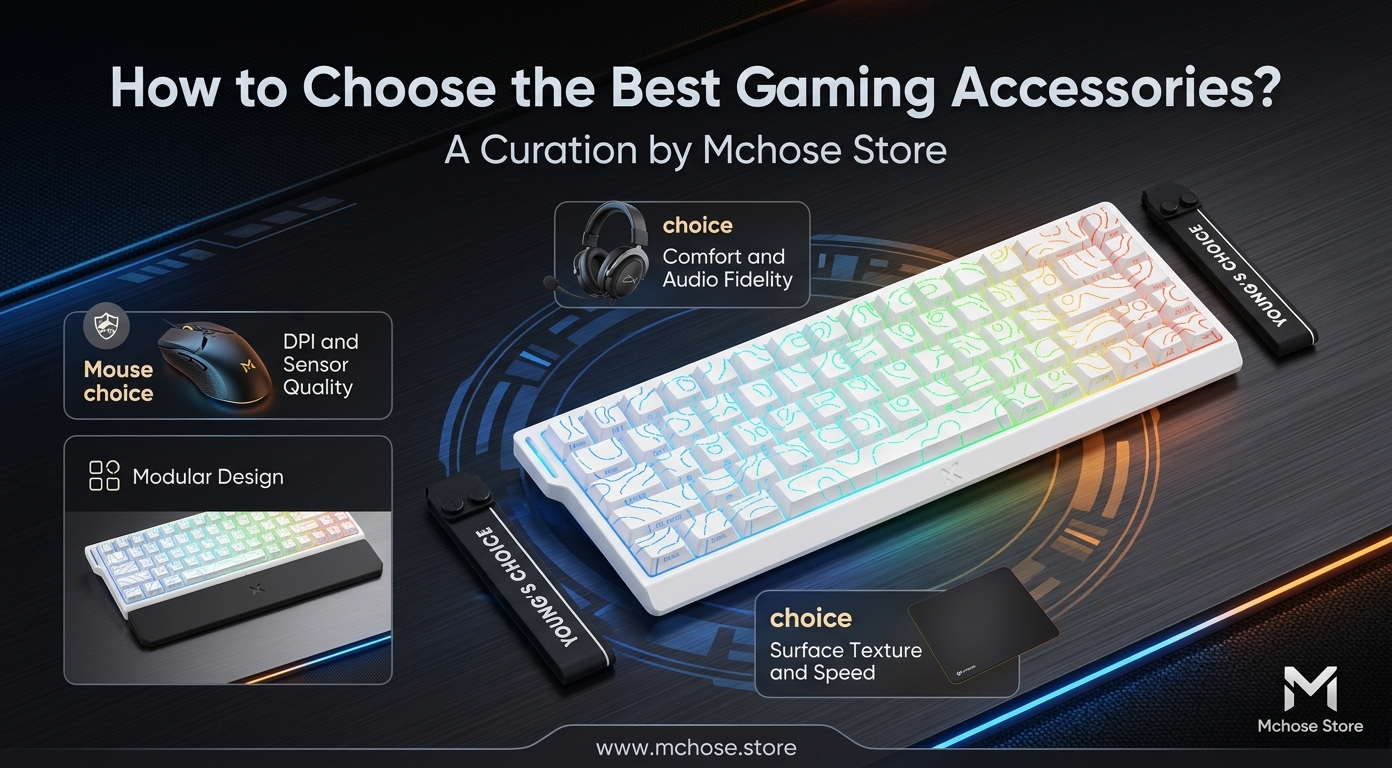
Learn how to choose the best gaming accessories for comfort, accuracy, and better gameplay. Explore mechanical keyboards, wireless gaming mice, and gaming headsets while comparing features, connectivity, compatibility, and build quality with Mchose US.
How to Improve Your Gaming Experience With the Right Accessories
Have you ever lost a close match because your keyboard felt unresponsive or your mouse movements lacked accuracy? Perhaps your headset also failed to deliver clear audio when you needed it most. The right gaming setup can improve comfort, control, and overall enjoyment. For gamers seeking better performance, Mchose US offers options worth exploring when comparing modern gaming accessories. However, you do not need every expensive gadget to build an effective setup. Instead, identify the problems that affect your gameplay and invest in equipment that addresses them. Mechanical Keyboards, Wireless Gaming Mice, and Gaming Headsets offer three practical starting points. Together, these accessories can help you create a more comfortable and responsive gaming environment.
Common Problems Gamers Face
Gaming problems do not always result from a lack of skill. In many cases, unsuitable equipment makes consistent performance more difficult.
Unresponsive Keyboard Inputs
A keyboard with inconsistent keys, uncomfortable spacing, or poor feedback can frustrate gamers. Fast-paced games often demand repeated actions, accurate movement, and quick responses. Consequently, uncomfortable keys or an unsuitable layout can affect your performance. These issues can also reduce comfort during extended gaming sessions.
Mouse Movement and Accuracy Issues
An uncomfortable mouse can affect your aiming, tracking, and reaction time. For example, excessive weight, an unsuitable shape, or an unstable wireless connection can complicate precise movements. Even experienced players may struggle when their mouse fails to match their grip style or gaming preferences.
Poor Audio and Communication
Gaming audio helps you detect approaching opponents, recognize environmental sounds, and communicate with teammates. However, low-quality sound can hide important details during competitive matches. Uncomfortable ear cushions and unreliable microphones can also make long sessions less enjoyable. As a result, these problems may disrupt communication and teamwork.
Why These Gaming Problems Occur
Several factors contribute to gaming equipment problems. These include poor product quality, unsuitable sizing, outdated technology, and improper setup habits. For instance, a keyboard may use switches that do not match your preferred gaming style. Similarly, an oversized mouse may strain your hand, while an uncomfortable headset may create pressure around your ears. Wireless connectivity can also cause problems when devices experience interference, unstable connections, or limited battery life. Nevertheless, wireless equipment does not automatically perform worse than wired alternatives. Instead, responsiveness depends on the device's design, connection technology, and implementation. By understanding these causes, you can choose accessories that address your actual needs. This approach also helps you avoid purchasing products based solely on appearance or marketing claims.
Practical Ways to Improve Your Gaming Setup
Before buying new equipment, review your current setup and identify its main weaknesses. Then, consider these practical improvements to make better purchasing decisions.
Choose Mechanical Keyboards That Match Your Needs
Mechanical Keyboards use individual mechanical switches beneath their keys. These switches provide different levels of feedback, resistance, and sound. For example, some gamers prefer linear switches for smooth keystrokes. Others favor tactile switches because they provide noticeable feedback during key presses.
When comparing Mechanical Keyboards, consider these important factors:
- Switch type: Choose linear, tactile, or clicky switches according to your comfort and preferences.
- Layout: Compact keyboards save desk space, while full-size models include a dedicated number pad.
- Build quality: Prioritize sturdy construction, stable keys, and reliable connectivity.
- Comfort: Evaluate key spacing, wrist position, and whether a wrist rest would improve your experience.
Ultimately, a well-matched keyboard can make gameplay more comfortable. It can also support everyday typing and other computer tasks.
Find Reliable Wireless Gaming Mice
Wireless Gaming Mice give you greater freedom of movement and reduce cable clutter. Moreover, they suit players who make frequent, rapid movements or prefer a tidy workspace. However, appearance should not determine your final choice. Instead, compare sensor accuracy, weight, shape, battery life, and wireless performance. For instance, a lightweight mouse may support quick movements, while a heavier model may feel more familiar to some players. Therefore, choose a design that matches your preferences and playing habits. Also, check whether the mouse supports a low-latency wireless connection. Next, adjust the mouse sensitivity to a comfortable level. Excessively high sensitivity can make precise aiming harder for some players. Experiment with different settings until you find a balance between speed and control.
Upgrade to Comfortable Gaming Headsets
Gaming Headsets deliver immersive audio and support clearer team communication. Nevertheless, sound quality should not be your only consideration. Instead, look for clear audio, a dependable microphone, comfortable ear cushions, and an adjustable fit. These features can make extended gaming sessions more enjoyable. Additionally, closed-back designs can help reduce distracting background sounds. Before purchasing, check compatibility with your preferred gaming platform. Some headsets support multiple devices, while others provide specific features only on compatible computers or consoles. Consequently, reviewing compatibility can help you avoid unnecessary expenses.
Why Consider a Premium Gaming Accessory Setup?
After identifying your needs, consider investing in equipment that addresses your main challenges. Premium accessories often offer better materials, thoughtful ergonomics, consistent performance, and useful customization options. Mchose US is one brand worth considering when comparing gaming peripherals. However, do not choose products based on price alone. Instead, evaluate their specifications, comfort, connectivity, and practical features. For example, a well-designed keyboard can provide a more satisfying typing experience. Meanwhile, a suitable wireless mouse can improve desk flexibility. Likewise, a comfortable headset can support clearer communication and reduce discomfort during extended sessions. Most importantly, choose accessories that complement one another and suit your daily habits. A higher price does not automatically guarantee better performance. Therefore, compare independent reviews, warranty coverage, and return policies before making your purchase.
Benefits of Upgrading Your Gaming Accessories
The right equipment can improve more than your gaming performance. In addition, suitable accessories can make everyday computer use more comfortable and enjoyable. Greater comfort: Ergonomic shapes, suitable key layouts, and adjustable headsets can help reduce unnecessary strain during extended sessions. More consistent control: Responsive switches, accurate mouse sensors, and reliable connections can make your inputs more predictable. A cleaner workspace: Wireless Gaming Mice and compatible wireless peripherals reduce cable clutter. As a result, you can organize your desk more efficiently. Better communication: Quality Gaming Headsets help you hear important audio cues and communicate more clearly with teammates. Long-term value: Durable construction and replaceable or rechargeable components may reduce replacement costs. However, the actual savings depend on the product and its maintenance requirements. Overall, these benefits become more noticeable when an accessory solves a genuine problem. Therefore, prioritize useful features over specifications you rarely need.
Conclusion: Build a Gaming Setup That Works for You
Improving your gaming experience starts with identifying the problems that affect your performance and comfort. Mechanical Keyboards offer a personalized typing and gaming experience. Meanwhile, Wireless Gaming Mice provide greater freedom of movement, and Gaming Headsets support immersive audio and team communication. Fortunately, you do not need to replace every accessory at once. Start with the device that causes the most frustration. Then, compare available options and prioritize comfort, reliability, and compatibility. As you explore different products, consider Mchose US as one resource for researching modern gaming peripherals. Focus on features that match your playing style and provide practical value. Ultimately, thoughtful upgrades can help you enjoy gaming with greater comfort, confidence, and control.
live smarter
Shop smarter, live better, and stay ahead of the trends with our reliable recommendations!





trending
Fashion
7 min read
How to Choose Memorial Jewelry That Keeps Loved Ones Close
Gadgets and Tech
7 min read
How to Choose the Right Camera Lenses for Better Results
Health and Beauty
7 min read
Sea Moss Gel, Gummies, and Supplements: How to Choose the Right Option for Your Wellness Routine
Travel
6 min read
Concept Global Travel Bags: Smart Storage and Everyday Convenience
Home and Garden
5 min read
COZEWARE Mini-Split Air Conditioners: Energy-Conscious Home Comfort Solutions
Fitness and Sports
4 min read